A native SSH and SFTP client for iPhone, iPad, Mac, Android and Windows. Type user@host to connect right away, and upload or download server files while you watch the progress. You can also get approval requests from AI agents such as Claude Code as notifications.
$ ssh deploy@dev-gpu-01✓ Host key verified · tmux session restoredsftp › put build.tar.gz /srv/app↑ build.tar.gz 48MB ██████████ 100%? Claude Code: allow Bash(npm test)?✓ Approved · Mac
Waiting for approval · dev-gpu-01Claude Code: Bash(npm test)
✓ Approved
Screens
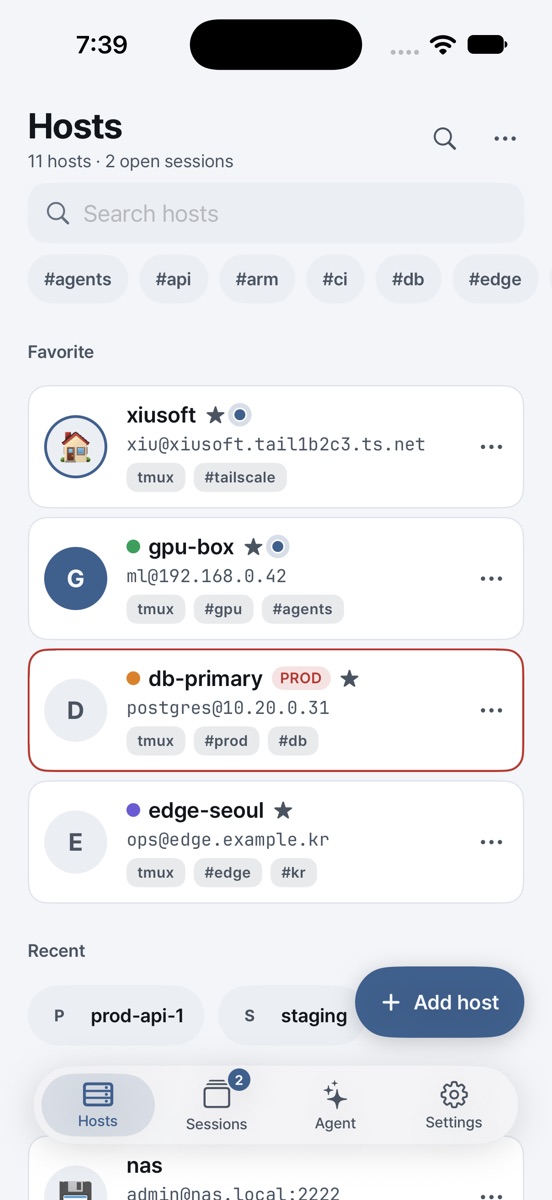
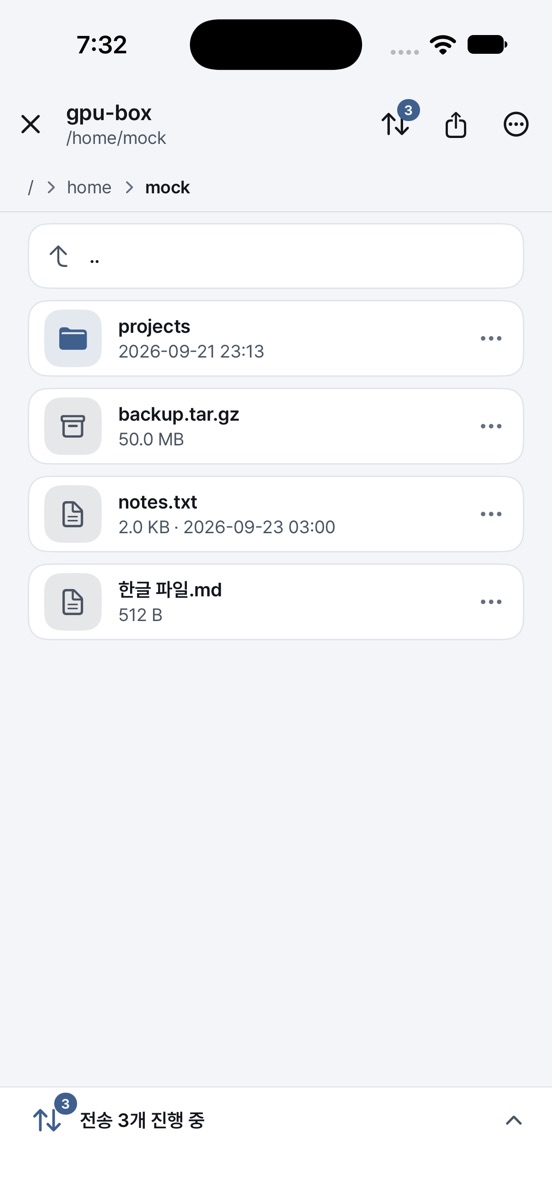
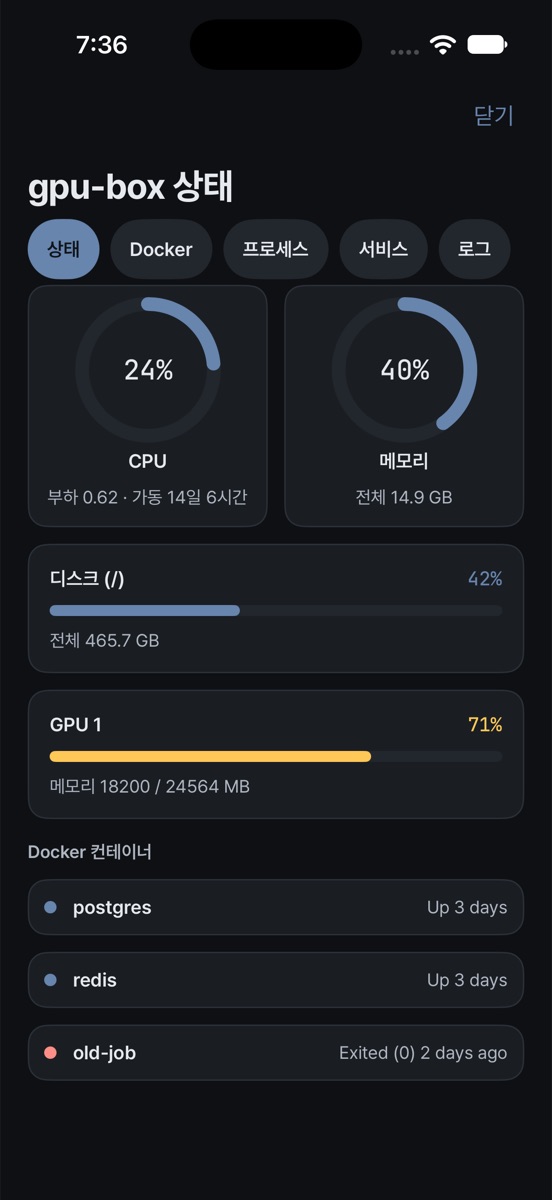
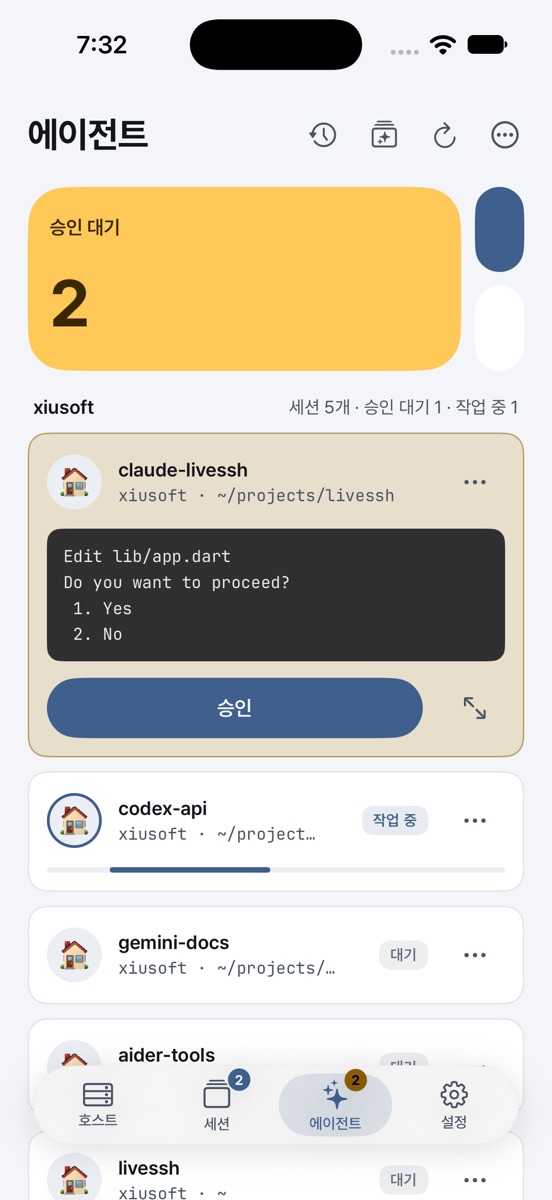
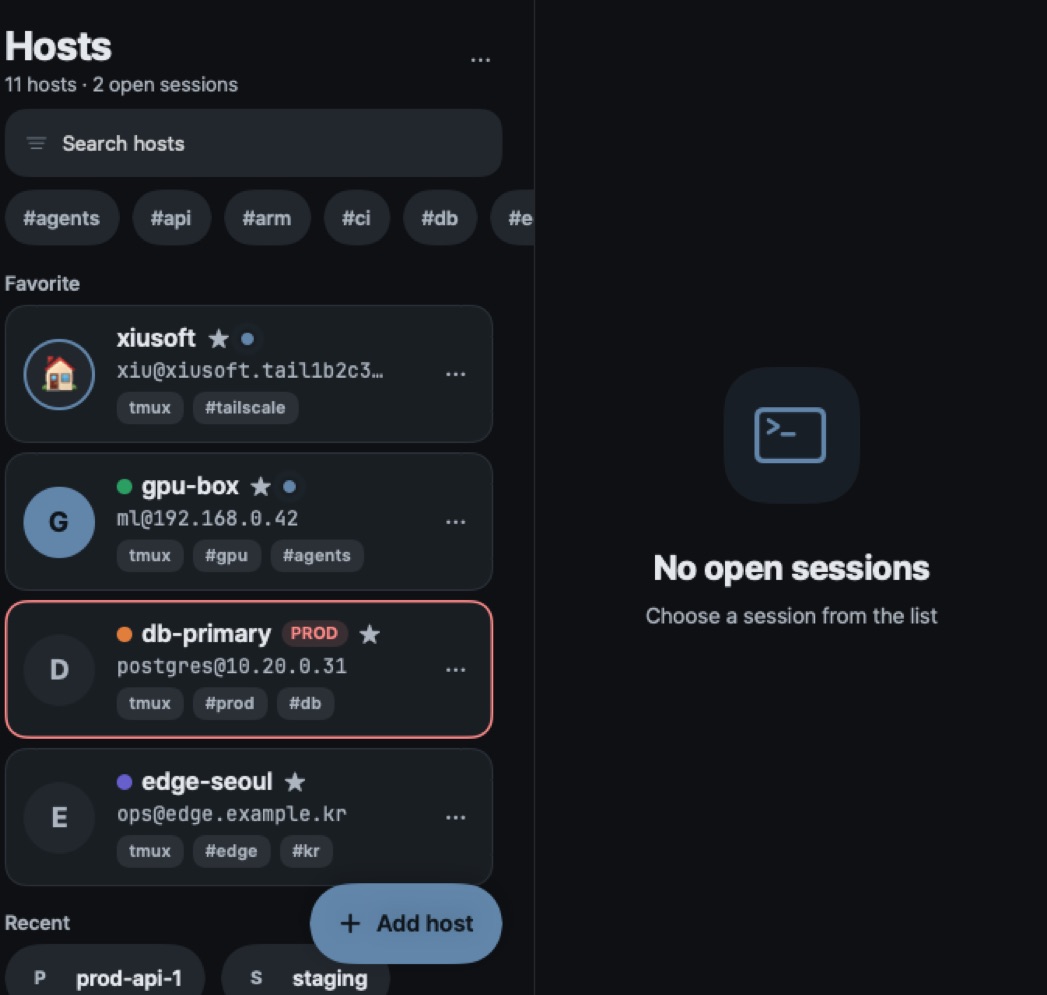
A look at LiveSSH
Real app screens. Host names and data are sample data.
Features
Everything server work needs, in one app
Connect, move files, check server status and keep an eye on your agents. Here is how it actually works.
01 · SSH connections
One line of address, any server
Type user@host:port and connect at once without saving anything. On the first connection you verify and pin the host key fingerprint, and if it changes, the connection is blocked.
Password and private key
SSH certificates
Ed25519 key generation
Jump hosts
Agent forwarding
Auto reconnect
Import ~/.ssh/config
Quick connect
❯deploy@web-01:22Host key SHA256:9fK2…Qa1✓ Fingerprint verified · pinned for this hostdeploy@web-01:~$
02 · SFTP
See your transfers happen
↑ build.tar.gzDone
↓ access.log64%
↑ config.yml30%
Upload and download progress
Edit text files in place
Port forwarding · SOCKS5
In-app web preview
03 · Server management (Linux)
Live server status
42%CPU
63%MEM
71%DISK
55%GPU
Docker containers
systemd services
Kill processes
Live journalctl
Wake-on-LAN
04 · AI coding agents
Hand it off, just approve
Claude Code · web-01Bash(npm run migrate)Waiting
ApproveDenyEsc⇧Tab/command
Agent key bar
Approve from notifications
Launcher and diff
Dynamic Island
Plus snippets, a command palette and typing into several sessions at once9 languages · terminal themes · monospace fonts of your choice
LiveSSH Cloud
Local features are free. You only subscribe if you want sync across devices and push notifications.
✓Encrypted cloud copy and continuing on multiple devices
✓One subscription for all devices
Free trial: a free trial, where offered, is an introductory offer of the App Store, Google Play or Microsoft Store on the subscription; the store sets its length and who is eligible and shows it with the price before you subscribe. Unless you cancel in the store before the trial ends, the subscription starts at the price shown. Local features such as SSH, SFTP, the terminal and your hosts stay free forever.
Cloud features need a subscription: $2.99 per month or $29.99 per year (or the local price shown in your store, including taxes), billed through the App Store, Google Play or Microsoft Store. It renews automatically until you cancel it in your store account settings, at least 24 hours before the period ends; deleting the app does not cancel it. We announce price changes as the store and the law require. See Terms of Service, section 8.
Download
Download
We are preparing versions for iPhone, iPad and Mac, Android, and Windows. One subscription covers all your devices.
App StoreiPhone · iPad · MacComing soon
Google PlayAndroidComing soon
Microsoft StoreWindowsComing soon
The app is not released yet. When it is, these buttons will open the store pages.
Frequently asked questions
Is it free to use?
Yes. Everything that runs on your device, including SSH, SFTP, the agent controls and tmux resume, is free and needs no account. Only sync, push notifications and the encrypted cloud copy need a LiveSSH Cloud subscription.
Can LiveSSH see my server passwords or private keys?
The app connects from your device straight to the server you choose and does not send connection details to LiveSSH. If you turn on Cloud sync, only ciphertext encrypted on your device is uploaded and the decryption keys are not on the server. See the security page for the details.
What if I lose both my master password and my recovery key?
The data cannot be recovered. The server does not hold the keys needed to decrypt it, so LiveSSH cannot help either. Keep your recovery key somewhere safe.
Do I need to install anything on my server?
There is no LiveSSH daemon. Resume needs tmux on the server; without it the app opens a plain shell. For push notifications the app installs a hook script, which needs python3 on the server.
Which agents are supported?
Any agent that runs in a terminal works with the key bar, prompt box and dashboard. The launcher has presets such as Claude Code and Codex. The push notification hook is currently for Claude Code.
How do I cancel my subscription?
A paid subscription is cancelled in the subscription settings of the store you subscribed through (Apple ID → Subscriptions, Google Play → Payments and subscriptions, Microsoft account → Services and subscriptions); deleting the app does not cancel it. A store free trial is cancelled in the same place, before the trial ends. Refunds follow each store’s policy and are handled by the store. You can delete your account in the app under Settings → LiveSSH Cloud; this does not cancel a store subscription. How to delete your account.
What happens with crash reports?
They are collected only if you consent, and you can turn them off at any time in Settings. They never include host addresses, commands or terminal output. See the security page and the privacy policy for details.
 XIUSoft
 LiveSSH